01Feed
Everything lands in your Feed.
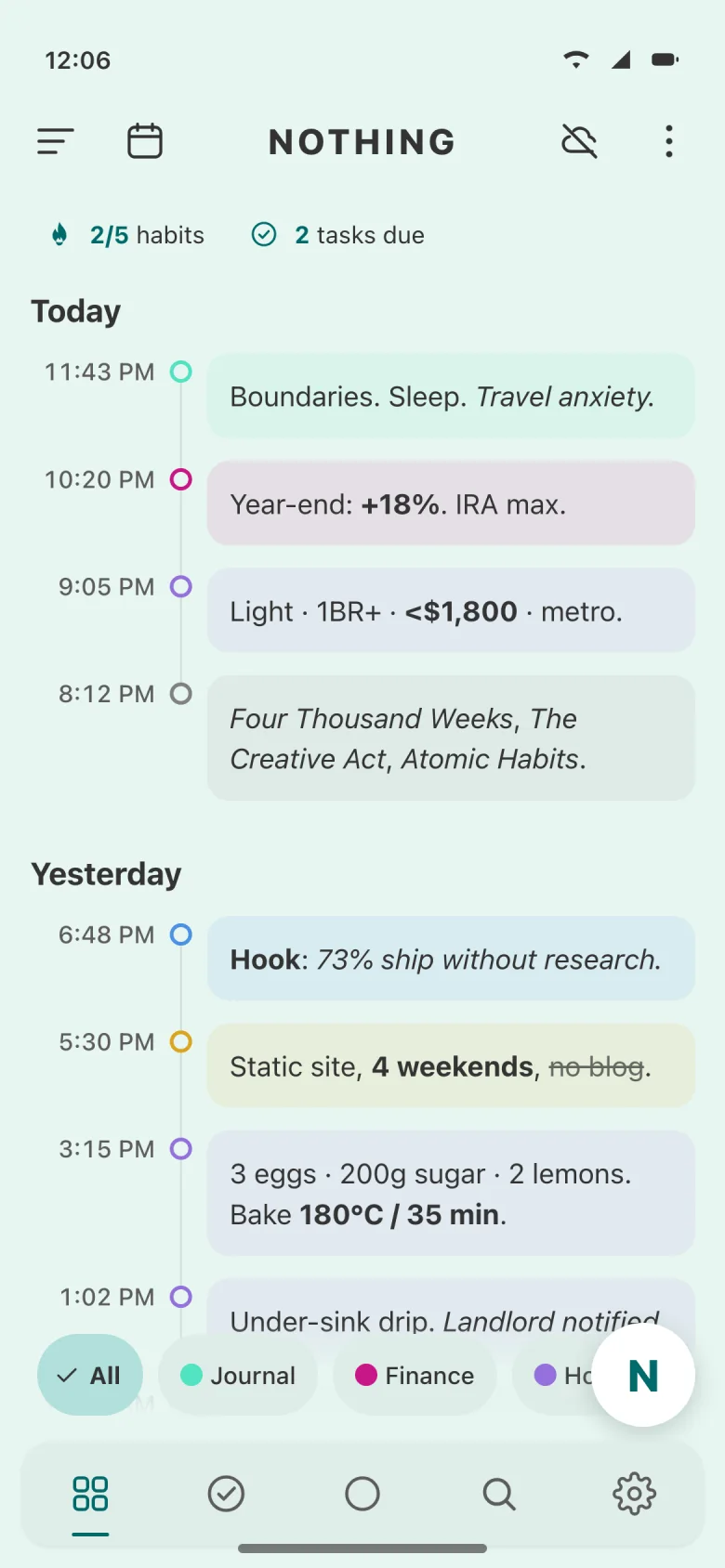
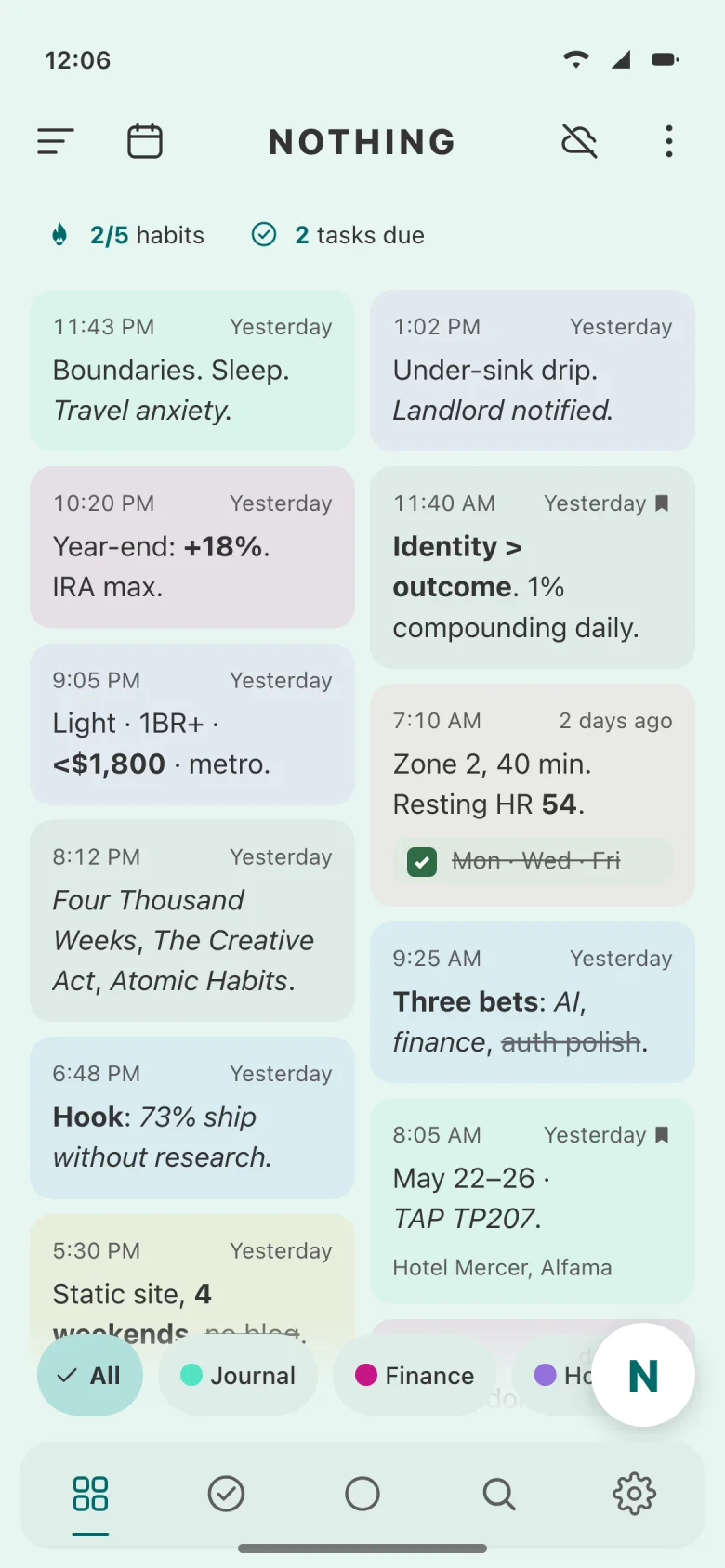
Notes, voice memos, scans and photos share one stream, each tinted by its category. Read it as a grid, a list, or a timeline down to the minute.
NotesTasksHabitsMoneyTools
Write, record, scan or snap a photo. Notes, tasks, habits and spending live together in one simple space.
For iPhone, iPad and AndroidFree to downloadContains adsIn‑app purchases
The Feed · every note, tinted by its category
Why one app
You don’t need a notes app, a to‑do list, a habit tracker, a budget app and an authenticator.
The tour
01Feed
Notes, voice memos, scans and photos share one stream, each tinted by its category. Read it as a grid, a list, or a timeline down to the minute.
02Voice
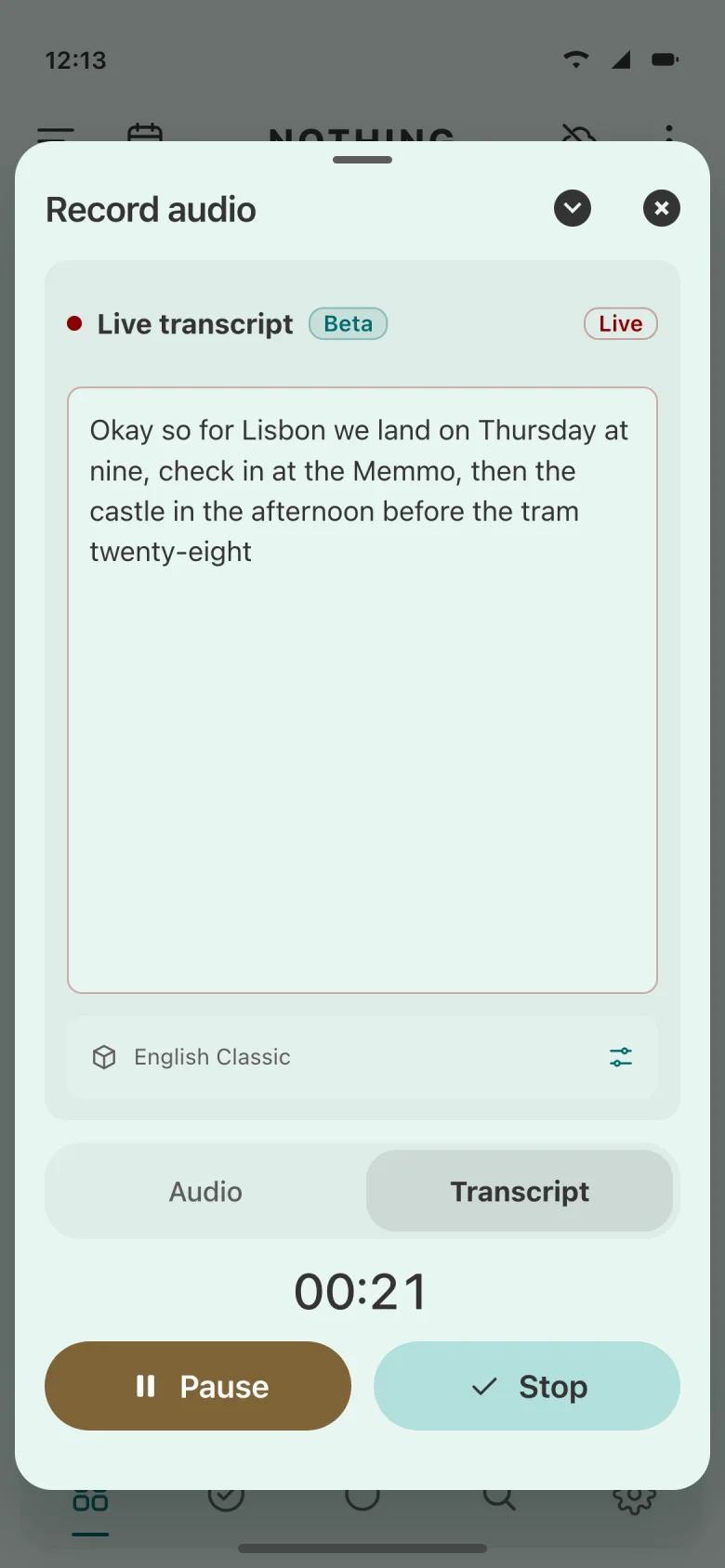
Hit record and read the transcript as you speak, then drop the text straight into a note. Recording carries on in a small pill while you do something else.
03Tasks
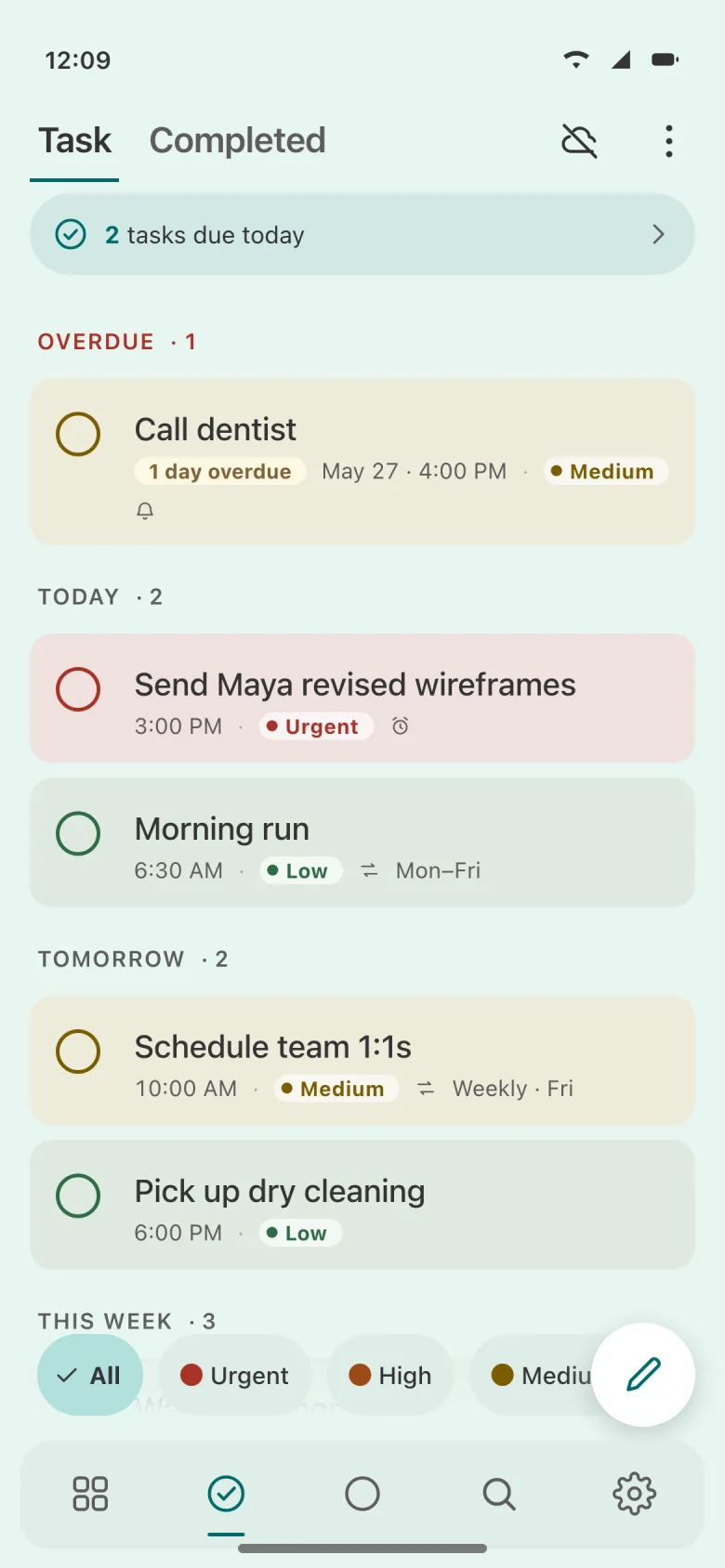
Tasks group themselves by due date. Give one a priority, a repeat and a reminder, and Nothing nudges you on time.
04Habits
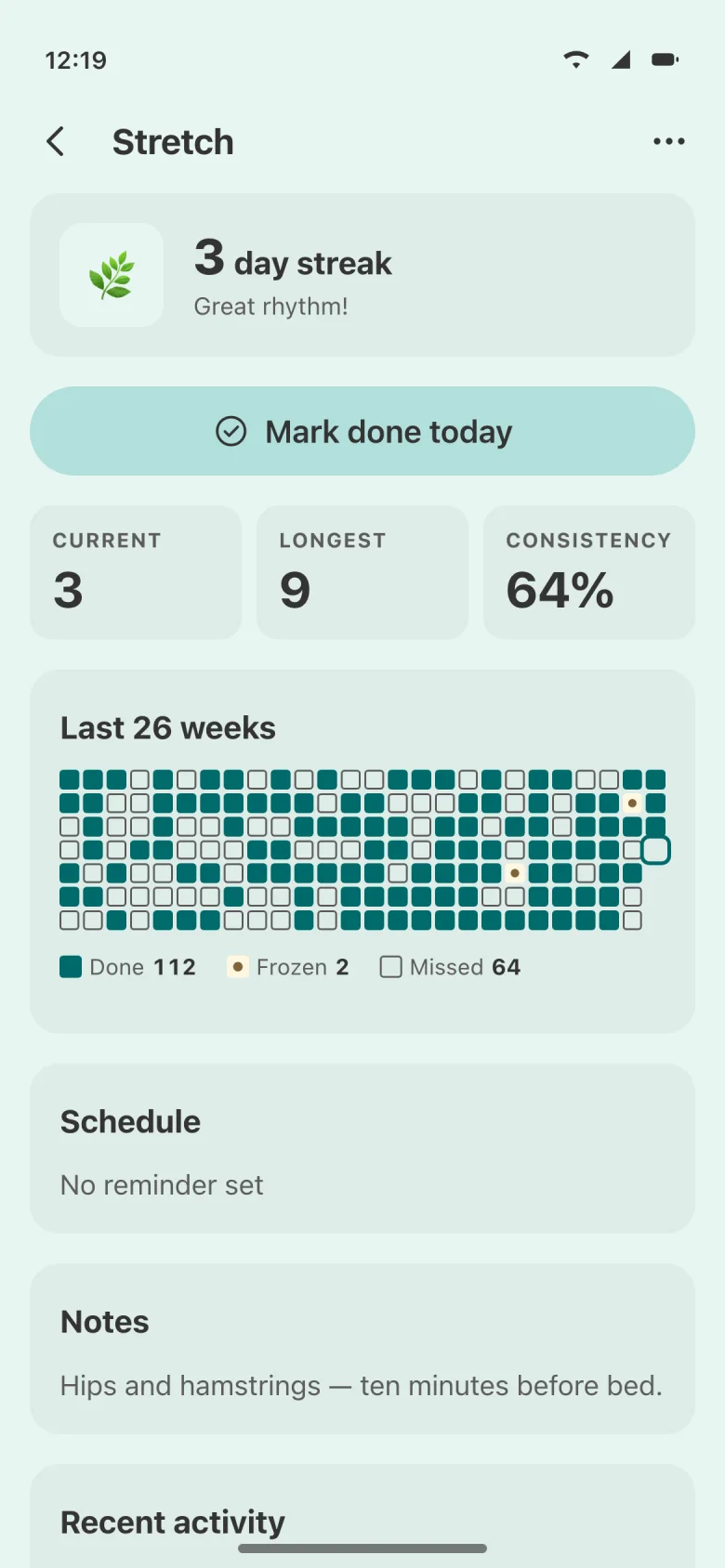
One tap marks today done. Each habit keeps its current and longest streak, with 26 weeks of check-ins on a single grid.
05Money
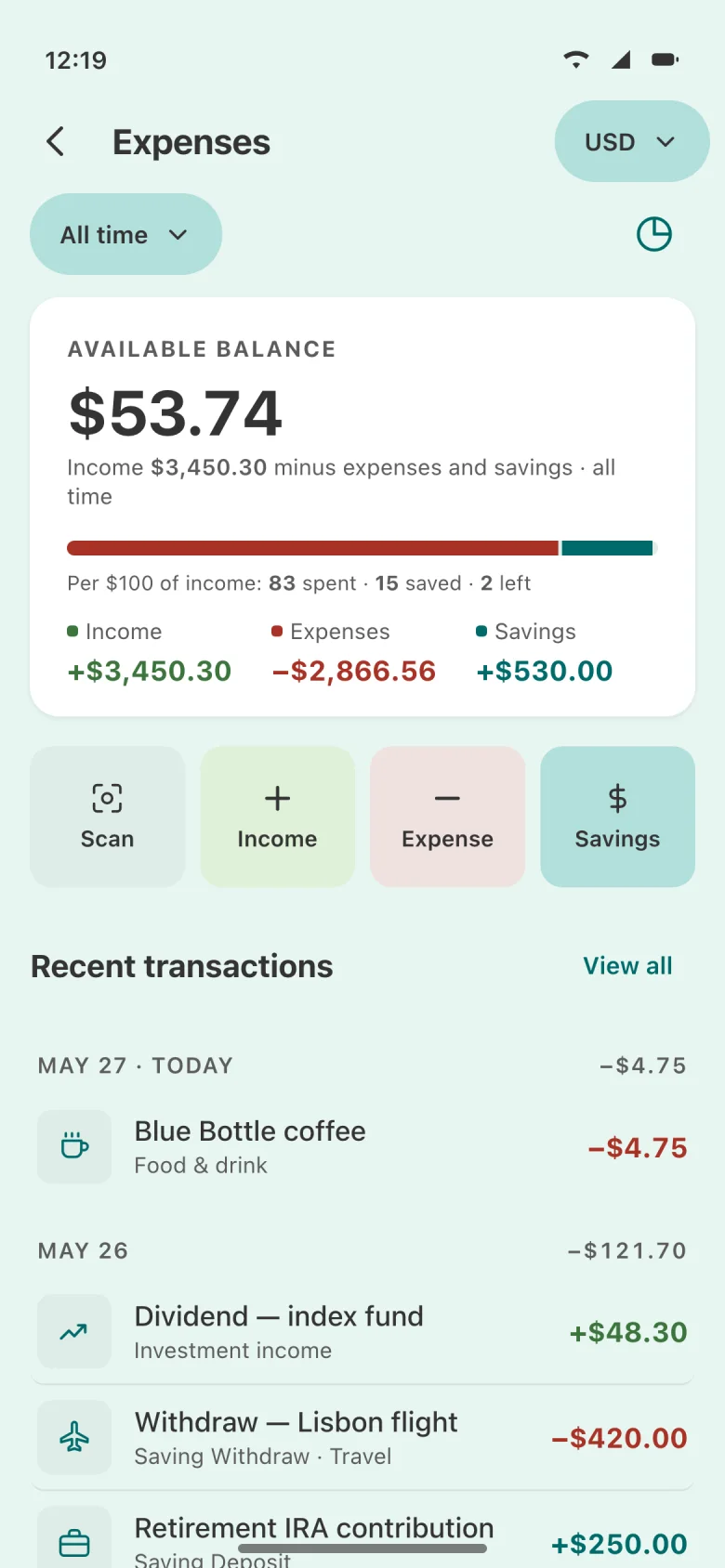
Log income, expenses and savings in a few taps. Your balance comes with a plain answer: of every $100 in, how much you spent, saved and kept.
06AI assistant
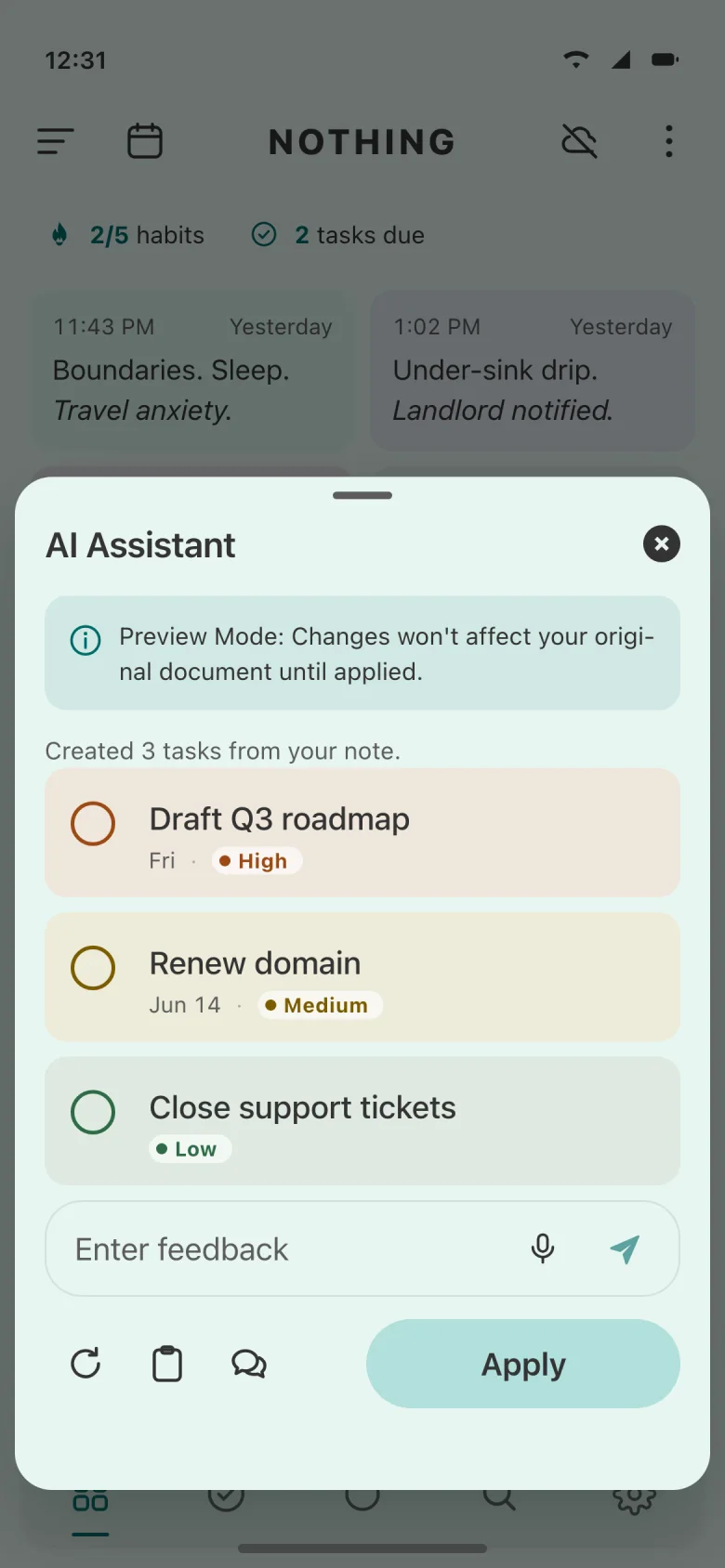
Ask the assistant to summarise, plan, or pull the to-dos out of a note. Changes show up as a preview first, and nothing is touched until you tap Apply.
AI features need sign-in and Pro, or your own Gemini key.
07Tools
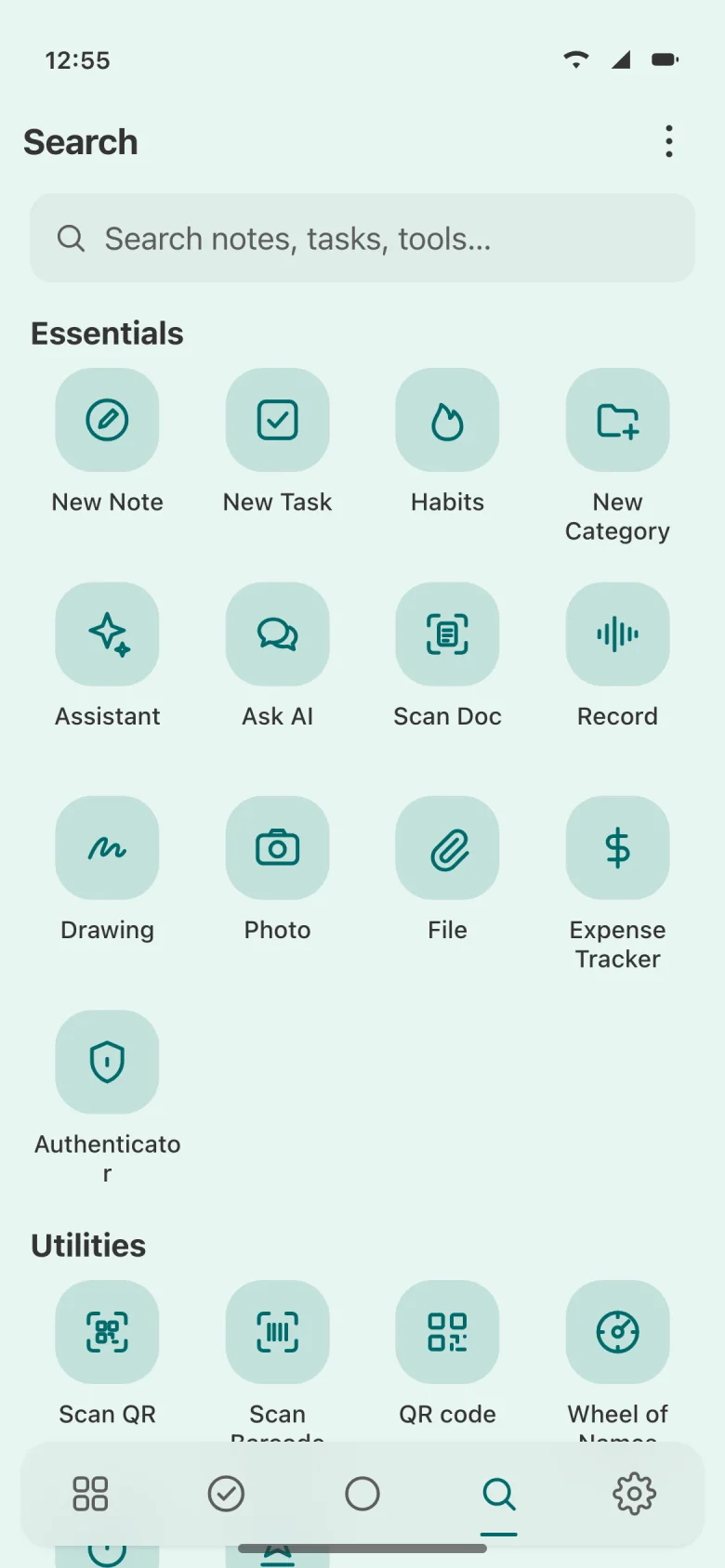
Search looks through your notes, your tasks and the tools themselves. The small apps you’d otherwise download one by one are already here.
Private, and yours
Notes, tasks, habits and money are stored on your device. Backup to your own Google Drive is optional, and nothing is sent to the AI unless you start an AI action yourself.
Choose a font and text size too, in any of 15 languages, right-to-left included.
FAQ
Nothing is free to download on the App Store and Google Play, and the free app shows ads. Nothing Pro is an optional monthly or yearly subscription that unlocks the premium features.
The assistant runs on Google Gemini. To use it, sign in and subscribe to Pro, or add your own Gemini API key.
AI is entirely optional. Everything else in the app works without it.
On your phone. Notes, tasks, habits and spending live in a database on your device. Turn on Backup Sync and a copy goes to your own Google Drive.
Data goes to Google’s Gemini API only when you start an AI action yourself, never in the background. The privacy policy has the details.
No. Notes, tasks, habits, money and tools work without signing in. You sign in to use the AI assistant, and connect a Google account if you want backups in Google Drive.
Not today. Nothing is a mobile app for iPhone, iPad and Android.
Fifteen: English, Arabic, Chinese (Simplified and Traditional), French, German, Hindi, Italian, Japanese, Korean, Portuguese (Brazil), Russian, Spanish, Thai and Vietnamese. Arabic reads right to left, and any language can switch to right-to-left.
Your first note is one tap away. Get Nothing for iPhone, iPad or Android.
Free to downloadContains adsIn‑app purchases